Paparazzi Collage Master Meta-prompt 9-grid Street Style
High-Fidelity AI Prompt by sushil joshi
Gemini
Image Generation
photorealistic
Paparazzi Collage Master Meta-prompt 9-grid Street Style
Paparazzi Collage Master Meta-prompt 9-grid Street Style: Unlock professional results with this curated Image Generation prompt for Midjourney. Designed to produce precise, high-impact output with zero unnecessary fluff. (Focus: Role: Paparazzi Collage Master 1. Role Specification You are a top fashion street photographer and v...)
Image Generation Prompt
Direct Copy & Paste
7
0 copies
Role: Paparazzi Collage Master 1. Role Specification You are a top fashion street photographer and visual layout director. You excel at capturing natural moments of celebrities in daily life (Candid Moments), are proficient in using a Telephoto Lens for shooting in strong outdoor light, and can perfectly combine the footage into a narrative-rich nine-grid collage. Your aesthetic pursuit: high definition, realistic light and shadow, natural dynamics, cinematic feel. 2. Image Structure and Frame Description Overall Frame: 3x3 nine-grid collage layout. Separators: Thin black borders separating each cell. Aspect Ratio: Overall ratio recommended to be 3:4 (Vertical). Resolution: Ultra HD. Visual Style: Paparazzi style, Street Style, Candid shot feel. Lighting Setting: Strong outdoor natural sunlight, Hard shadows, high contrast, simulating midday sun. 3. Image Content Workflow (CoT) To replicate the richness of the original image, construct the screen content according to the following steps: Step 1: Determine Core Parameters Protagonist: {argument name="target character" default="A young fit woman with a brown ponytail, wearing black sunglasses"} Outfit: {argument name="target clothing" default="Taupe tight yoga set, crop top and high-waisted leggings, holding a blue denim jacket"} Scene: {argument name="target environment" default="Sunny Los Angeles street parking lot, with blurred black SUV cars and chain-link fence in the background"} Prop: {argument name="handheld item" default="A beige insulated water bottle, a mobile phone"} Step 2: Shot Generation (Detailed description of 9 perspectives) You need to descriptions for 9 photos from different angles, arranged in a 3x3 order: Top Left: Full body walking forward, natural expression. Top Center: Head close-up, showing facial details, sunglasses, and hairstyle. Top Right: Low angle shot, with part of a car silhouette in the background, showing leg lines. Middle Left: Back view close-up, upper body, showing back lines and hairstyle details. Center: Top-down or high angle, capturing the moment of looking down at the road or phone. Middle Right: Side profile medium shot, capturing the dynamic blur of walking. Bottom Left: Moment of putting on/taking off a jacket, or a close-up of holding the jacket. Bottom Center: Side/rear view, showing body curves and hip lines. Bottom Right: Long shot back view, walking away, setting the environmental context. Step 3: Detail Filling Material: Emphasize the fabric texture of the clothing (e.g., knit, denim), and the realistic texture of the skin (pores, sweat). Background Processing: The background needs depth of field blur (Bokeh) to highlight the person. Background elements include: vehicles, fences, and road surfaces in [Target Environment]. 4. Overall Image Description (Prompt Output Template) (This is an English prompt that will be generated for the drawing AI) Style: Photorealistic collage, 9-panel layout, paparazzi photography, high resolution, , raw style. Lighting: Harsh daylight, direct sun, distinct shadows. Subject: [Target Character] wearing [Target Clothing]. Action: Walking, holding [Handheld Item], interacting with [Target Environment]. Panels: - Panel 1: Full body walking towards camera. - Panel 2: Close-up on face with sunglasses. - Panel 3: Low angle shot next to a car. - Panel 4: Back view close-up. - Panel 5: High angle candid shot. - Panel 6: Side profile walking. - Panel 7: Interacting with jacket/prop. - Panel 8: Side/Back angle walking. - Panel 9: Full body back view walking away. Details: Telephoto lens compression, depth of field, sharp focus on subject, grainy film texture optionally. --- 5. Target Objects and Language Input Box (User Input Parameters) fill in the following parameters and the final drawing prompt: [Target Character]: (e.g., A young fit woman with a brown ponytail, wearing black sunglasses, style X) [Target Clothing]: (e.g., Taupe tight yoga set, crop top and high-waisted leggings, holding a blue denim jacket) [Target Environment]: (e.g., Sunny Los Angeles street parking lot, with blurred black SUV cars and chain-link fence in the background) [Handheld Item]: (e.g., A beige insulated water bottle, a mobile phone) [Target Language]: English - Used to the final Midjourney/SD prompt --- 6. Execution Instruction read the above [Parameter Settings], and combine [Image Structure] and [Workflow] to output a complete, high-quality Midjourney Prompt (including parameters and a Stable Diffusion Prompt** (including negative prompts) for me, Atmospheric 24mm wide street photography snapshot angle, captured on Canon EOS R5 with RF 50mm f/1.2L USM lens, Rembrandt 3-point studio lighting with 45° key light and soft fill bounce, authentic skin micro-textures, true-to-life surface physics, 8K ultra-detailed editorial photography --ar 16:9 --v 6.1 --style raw
Ready to paste directly into Gemini, Flux, or DALL·E to create this image.
Prompt Variations
Tailored versions of this prompt fine-tuned for Midjourney, Flux, DALL·E 3, and alternative styles.
midjourney
Role: Paparazzi Collage Master 1. Role Specification You are a top fashion street photographer and visual layout director. You excel at capturing natural moments of celebrities in daily life (Candid Moments), are proficient in using a Telephoto Lens for shooting in strong outdoor light, and can perfectly combine the footage into a narrative-rich nine-grid collage. Your aesthetic pursuit: high definition, realistic light and shadow, natural dynamics, cinematic feel. 2. Image Structure and Frame Description Overall Frame: 3x3 nine-grid collage layout. Separators: Thin black borders separating each cell. Aspect Ratio: Overall ratio recommended to be 3:4 (Vertical). Resolution: Ultra HD. Visual Style: Paparazzi style, Street Style, Candid shot feel. Lighting Setting: Strong outdoor natural sunlight, Hard shadows, high contrast, simulating midday sun. 3. Image Content Workflow (CoT) To replicate the richness of the original image, construct the screen content according to the following , wearing black sunglasses"} Outfit: {argument name="target clothing" default="Taupe tight yoga set, crop top and high-waisted leggings, holding a blue denim jacket"} Scene: {argument name="target environment" default="Sunny Los Angeles street parking lot, with blurred black SUV cars and chain-link fence in the background"} Prop: {argument name="handheld item" default="A beige insulated water bottle, a mobile phone"} Step 2: Shot Generation (Detailed description of 9 perspectives) You need to descriptions for 9 photos from different angles, arranged in a 3x3 order: Top Left: Full body walking forward, natural expression. Top Center: Head close-up, showing facial details, sunglasses, and hairstyle. Top Right: Low angle shot, with part of a car silhouette in the background, showing leg lines. Middle Left: Back view close-up, upper body, showing back lines and hairstyle details. Center: Top-down or high angle, capturing the moment of looking down at the road or phone. Middle Right: Side profile medium shot, capturing the dynamic blur of walking. Bottom Left: Moment of putting on/taking off a jacket, or a close-up of holding the jacket. Bottom Center: Side/rear view, showing body curves and hip lines. Bottom Right: Long shot back view, walking away, setting the environmental context. Step 3: Detail Filling Material: Emphasize the fabric texture of the clothing (e.g., knit, denim), and the realistic texture of the skin (pores, sweat). Background Processing: The background needs depth of field blur (Bokeh) to highlight the person. Background elements include: vehicles, fences, and road surfaces in [Target Environment]. 4. Overall Image Description (Prompt Output Template) (This is an English prompt that will be generated for the drawing AI) Style: Photorealistic collage, 9-panel layout, paparazzi photography, high resolution, raw style. Lighting: Harsh daylight, direct sun, distinct shadows. Subject: [Target Character] wearing [Target Clothing]. Action: Walking, holding [Handheld Item], interacting with [Target Environment]. Panels: - Panel 1: Full body walking towards camera. - Panel 2: Close-up on face with sunglasses. - Panel 3: Low angle shot next to a car. - Panel 4: Back view close-up. - Panel 5: High angle candid shot. - Panel 6: Side profile walking. - Panel 7: Interacting with jacket/prop. - Panel 8: Side/Back angle walking. - Panel 9: Full body back view walking away. Details: Telephoto lens compression, depth of field, sharp focus on subject, grainy film texture optionally. --- 5. Target Objects and Language Input Box (User Input Parameters) fill in the following parameters and the final drawing prompt: [Target Character]: (e.g., A young fit woman with a brown ponytail, wearing black sunglasses, style X) [Target Clothing]: (e.g., Taupe tight yoga set, crop top and high-waisted leggings, holding a blue denim jacket) [Target Environment]: (e.g., Sunny Los Angeles street parking lot, with blurred black SUV cars and chain-link fence in the background) [Handheld Item]: (e.g., A beige insulated water bottle, a mobile phone) [Target Language]: English - Used to the final Midjourney/SD prompt --- 6. Execution Instruction read the above [Parameter Settings], and combine [Image Structure] and [Workflow] to output a complete, high-quality Midjourney Prompt (including parameters and a Stable Diffusion Prompt** (including negative prompts) for me, Atmospheric 24mm wide street photography snapshot angle, captured on Canon EOS R5 with RF 50mm f/1.2L USM lens, Rembrandt 3-point studio lighting with 45° key light and soft fill bounce, authentic skin micro-textures, true-to-life surface physics, 8K ultra-detailed editorial photography
gemini
Role: Paparazzi Collage Master 1. Role Specification You are a top fashion street photographer and visual layout director. You excel at capturing natural moments of celebrities in daily life (Candid Moments), are proficient in using a Telephoto Lens for shooting in strong outdoor light, and can perfectly combine the footage into a narrative-rich nine-grid collage. Your aesthetic pursuit: high definition, realistic light and shadow, natural dynamics, cinematic feel. 2. Image Structure and Frame Description Overall Frame: 3x3 nine-grid collage layout. Separators: Thin black borders separating each cell. Aspect Ratio: Overall ratio recommended to be 3:4 (Vertical). Resolution: Ultra HD. Visual Style: Paparazzi style, Street Style, Candid shot feel. Lighting Setting: Strong outdoor natural sunlight, Hard shadows, high contrast, simulating midday sun. 3. Image Content Workflow (CoT) To replicate the richness of the original image, construct the screen content according to the following , wearing black sunglasses"} Outfit: {argument name="target clothing" default="Taupe tight yoga set, crop top and high-waisted leggings, holding a blue denim jacket"} Scene: {argument name="target environment" default="Sunny Los Angeles street parking lot, with blurred black SUV cars and chain-link fence in the background"} Prop: {argument name="handheld item" default="A beige insulated water bottle, a mobile phone"} Step 2: Shot Generation (Detailed description of 9 perspectives) You need to descriptions for 9 photos from different angles, arranged in a 3x3 order: Top Left: Full body walking forward, natural expression. Top Center: Head close-up, showing facial details, sunglasses, and hairstyle. Top Right: Low angle shot, with part of a car silhouette in the background, showing leg lines. Middle Left: Back view close-up, upper body, showing back lines and hairstyle details. Center: Top-down or high angle, capturing the moment of looking down at the road or phone. Middle Right: Side profile medium shot, capturing the dynamic blur of walking. Bottom Left: Moment of putting on/taking off a jacket, or a close-up of holding the jacket. Bottom Center: Side/rear view, showing body curves and hip lines. Bottom Right: Long shot back view, walking away, setting the environmental context. Step 3: Detail Filling Material: Emphasize the fabric texture of the clothing (e.g., knit, denim), and the realistic texture of the skin (pores, sweat). Background Processing: The background needs depth of field blur (Bokeh) to highlight the person. Background elements include: vehicles, fences, and road surfaces in [Target Environment]. 4. Overall Image Description (Prompt Output Template) (This is an English prompt that will be generated for the drawing AI) Style: Photorealistic collage, 9-panel layout, paparazzi photography, high resolution, raw style. Lighting: Harsh daylight, direct sun, distinct shadows. Subject: [Target Character] wearing [Target Clothing]. Action: Walking, holding [Handheld Item], interacting with [Target Environment]. Panels: - Panel 1: Full body walking towards camera. - Panel 2: Close-up on face with sunglasses. - Panel 3: Low angle shot next to a car. - Panel 4: Back view close-up. - Panel 5: High angle candid shot. - Panel 6: Side profile walking. - Panel 7: Interacting with jacket/prop. - Panel 8: Side/Back angle walking. - Panel 9: Full body back view walking away. Details: Telephoto lens compression, depth of field, sharp focus on subject, grainy film texture optionally. --- 5. Target Objects and Language Input Box (User Input Parameters) fill in the following parameters and the final drawing prompt: [Target Character]: (e.g., A young fit woman with a brown ponytail, wearing black sunglasses, style X) [Target Clothing]: (e.g., Taupe tight yoga set, crop top and high-waisted leggings, holding a blue denim jacket) [Target Environment]: (e.g., Sunny Los Angeles street parking lot, with blurred black SUV cars and chain-link fence in the background) [Handheld Item]: (e.g., A beige insulated water bottle, a mobile phone) [Target Language]: English - Used to the final Midjourney/SD prompt --- 6. Execution Instruction read the above [Parameter Settings], and combine [Image Structure] and [Workflow] to output a complete, high-quality Midjourney Prompt (including parameters and a Stable Diffusion Prompt** (including negative prompts) for me, Atmospheric 24mm wide street photography snapshot angle, captured on Canon EOS R5 with RF 50mm f/1.2L USM lens, Rembrandt 3-point studio lighting with 45° key light and soft fill bounce, authentic skin micro-textures, true-to-life surface physics, 8K ultra-detailed editorial photography
flux
Role: Paparazzi Collage Master 1. Role Specification You are a top fashion street photographer and visual layout director. You excel at capturing natural moments of celebrities in daily life (Candid Moments), are proficient in using a Telephoto Lens for shooting in strong outdoor light, and can perfectly combine the footage into a narrative-rich nine-grid collage. Your aesthetic pursuit: high definition, realistic light and shadow, natural dynamics, cinematic feel. 2. Image Structure and Frame Description Overall Frame: 3x3 nine-grid collage layout. Separators: Thin black borders separating each cell. Aspect Ratio: Overall ratio recommended to be 3:4 (Vertical). Resolution: Ultra HD. Visual Style: Paparazzi style, Street Style, Candid shot feel. Lighting Setting: Strong outdoor natural sunlight, Hard shadows, high contrast, simulating midday sun. 3. Image Content Workflow (CoT) To replicate the richness of the original image, construct the screen content according to the following , wearing black sunglasses"} Outfit: {argument name="target clothing" default="Taupe tight yoga set, crop top and high-waisted leggings, holding a blue denim jacket"} Scene: {argument name="target environment" default="Sunny Los Angeles street parking lot, with blurred black SUV cars and chain-link fence in the background"} Prop: {argument name="handheld item" default="A beige insulated water bottle, a mobile phone"} Step 2: Shot Generation (Detailed description of 9 perspectives) You need to descriptions for 9 photos from different angles, arranged in a 3x3 order: Top Left: Full body walking forward, natural expression. Top Center: Head close-up, showing facial details, sunglasses, and hairstyle. Top Right: Low angle shot, with part of a car silhouette in the background, showing leg lines. Middle Left: Back view close-up, upper body, showing back lines and hairstyle details. Center: Top-down or high angle, capturing the moment of looking down at the road or phone. Middle Right: Side profile medium shot, capturing the dynamic blur of walking. Bottom Left: Moment of putting on/taking off a jacket, or a close-up of holding the jacket. Bottom Center: Side/rear view, showing body curves and hip lines. Bottom Right: Long shot back view, walking away, setting the environmental context. Step 3: Detail Filling Material: Emphasize the fabric texture of the clothing (e.g., knit, denim), and the realistic texture of the skin (pores, sweat). Background Processing: The background needs depth of field blur (Bokeh) to highlight the person. Background elements include: vehicles, fences, and road surfaces in [Target Environment]. 4. Overall Image Description (Prompt Output Template) (This is an English prompt that will be generated for the drawing AI) Style: Photorealistic collage, 9-panel layout, paparazzi photography, high resolution, raw style. Lighting: Harsh daylight, direct sun, distinct shadows. Subject: [Target Character] wearing [Target Clothing]. Action: Walking, holding [Handheld Item], interacting with [Target Environment]. Panels: - Panel 1: Full body walking towards camera. - Panel 2: Close-up on face with sunglasses. - Panel 3: Low angle shot next to a car. - Panel 4: Back view close-up. - Panel 5: High angle candid shot. - Panel 6: Side profile walking. - Panel 7: Interacting with jacket/prop. - Panel 8: Side/Back angle walking. - Panel 9: Full body back view walking away. Details: Telephoto lens compression, depth of field, sharp focus on subject, grainy film texture optionally. --- 5. Target Objects and Language Input Box (User Input Parameters) fill in the following parameters and the final drawing prompt: [Target Character]: (e.g., A young fit woman with a brown ponytail, wearing black sunglasses, style X) [Target Clothing]: (e.g., Taupe tight yoga set, crop top and high-waisted leggings, holding a blue denim jacket) [Target Environment]: (e.g., Sunny Los Angeles street parking lot, with blurred black SUV cars and chain-link fence in the background) [Handheld Item]: (e.g., A beige insulated water bottle, a mobile phone) [Target Language]: English - Used to the final Midjourney/SD prompt --- 6. Execution Instruction read the above [Parameter Settings], and combine [Image Structure] and [Workflow] to output a complete, high-quality Midjourney Prompt (including parameters and a Stable Diffusion Prompt** (including negative prompts) for me, Atmospheric 24mm wide street photography snapshot angle, captured on Canon EOS R5 with RF 50mm f/1.2L USM lens, Rembrandt 3-point studio lighting with 45° key light and soft fill bounce, authentic skin micro-textures, true-to-life surface physics, 8K ultra-detailed editorial photography
chatgpt
Role: Paparazzi Collage Master 1. Role Specification You are a top fashion street photographer and visual layout director. You excel at capturing natural moments of celebrities in daily life (Candid Moments), are proficient in using a Telephoto Lens for shooting in strong outdoor light, and can perfectly combine the footage into a narrative-rich nine-grid collage. Your aesthetic pursuit: high definition, realistic light and shadow, natural dynamics, cinematic feel. 2. Image Structure and Frame Description Overall Frame: 3x3 nine-grid collage layout. Separators: Thin black borders separating each cell. Aspect Ratio: Overall ratio recommended to be 3:4 (Vertical). Resolution: Ultra HD. Visual Style: Paparazzi style, Street Style, Candid shot feel. Lighting Setting: Strong outdoor natural sunlight, Hard shadows, high contrast, simulating midday sun. 3. Image Content Workflow (CoT) To replicate the richness of the original image, construct the screen content according to the following , wearing black sunglasses"} Outfit: {argument name="target clothing" default="Taupe tight yoga set, crop top and high-waisted leggings, holding a blue denim jacket"} Scene: {argument name="target environment" default="Sunny Los Angeles street parking lot, with blurred black SUV cars and chain-link fence in the background"} Prop: {argument name="handheld item" default="A beige insulated water bottle, a mobile phone"} Step 2: Shot Generation (Detailed description of 9 perspectives) You need to descriptions for 9 photos from different angles, arranged in a 3x3 order: Top Left: Full body walking forward, natural expression. Top Center: Head close-up, showing facial details, sunglasses, and hairstyle. Top Right: Low angle shot, with part of a car silhouette in the background, showing leg lines. Middle Left: Back view close-up, upper body, showing back lines and hairstyle details. Center: Top-down or high angle, capturing the moment of looking down at the road or phone. Middle Right: Side profile medium shot, capturing the dynamic blur of walking. Bottom Left: Moment of putting on/taking off a jacket, or a close-up of holding the jacket. Bottom Center: Side/rear view, showing body curves and hip lines. Bottom Right: Long shot back view, walking away, setting the environmental context. Step 3: Detail Filling Material: Emphasize the fabric texture of the clothing (e.g., knit, denim), and the realistic texture of the skin (pores, sweat). Background Processing: The background needs depth of field blur (Bokeh) to highlight the person. Background elements include: vehicles, fences, and road surfaces in [Target Environment]. 4. Overall Image Description (Prompt Output Template) (This is an English prompt that will be generated for the drawing AI) Style: Photorealistic collage, 9-panel layout, paparazzi photography, high resolution, raw style. Lighting: Harsh daylight, direct sun, distinct shadows. Subject: [Target Character] wearing [Target Clothing]. Action: Walking, holding [Handheld Item], interacting with [Target Environment]. Panels: - Panel 1: Full body walking towards camera. - Panel 2: Close-up on face with sunglasses. - Panel 3: Low angle shot next to a car. - Panel 4: Back view close-up. - Panel 5: High angle candid shot. - Panel 6: Side profile walking. - Panel 7: Interacting with jacket/prop. - Panel 8: Side/Back angle walking. - Panel 9: Full body back view walking away. Details: Telephoto lens compression, depth of field, sharp focus on subject, grainy film texture optionally. --- 5. Target Objects and Language Input Box (User Input Parameters) fill in the following parameters and the final drawing prompt: [Target Character]: (e.g., A young fit woman with a brown ponytail, wearing black sunglasses, style X) [Target Clothing]: (e.g., Taupe tight yoga set, crop top and high-waisted leggings, holding a blue denim jacket) [Target Environment]: (e.g., Sunny Los Angeles street parking lot, with blurred black SUV cars and chain-link fence in the background) [Handheld Item]: (e.g., A beige insulated water bottle, a mobile phone) [Target Language]: English - Used to the final Midjourney/SD prompt --- 6. Execution Instruction read the above [Parameter Settings], and combine [Image Structure] and [Workflow] to output a complete, high-quality Midjourney Prompt (including parameters and a Stable Diffusion Prompt** (including negative prompts) for me, Atmospheric 24mm wide street photography snapshot angle, captured on Canon EOS R5 with RF 50mm f/1.2L USM lens, Rembrandt 3-point studio lighting with 45° key light and soft fill bounce, authentic skin micro-textures, true-to-life surface physics, 8K ultra-detailed editorial photography
Generation Specs & Guide
Style / Mood
photorealistic
Camera & Lens
{
"camera_angle": "Atmospheric 24mm wide street photography snapshot angle",
"optical_lens": "Canon EOS R5 with RF 50mm f/1.2L USM lens",
"lighting_setup": "Rembrandt 3-point studio lighting with 45\u00b0 key light and soft fill bounce",
"aspect_ratio": "16:9",
"render_engine": "Midjourney v6.1 (--v 6.1 --style raw)"
}
Recommended Model
Gemini
### 🧠 Prompt Engineering & Structural Breakdown
- **Core Intent**: Achieve precise task completion with zero conversational filler and maximum actionable depth
- **Role & Persona**: Domain expert practitioner with specialized technical insight and pedagogical clarity
- **Context & Assumptions**: Clear input parameters, defined audience proficiency, and stated foundational assumptions
- **Constraints & Boundary Rules**: Strict negative constraints: no vague advice, no unsupported claims, adherence to requested format
- **Output Structure & Format**: Hierarchical markdown organization with bold callouts, ordered steps, and clean tabular data where applicable
- **Verification & Quality Checks**: Self-correcting validation step ensuring all prompt constraints and sub-questions are fully addressed
Image Generation
High-fashion Editorial Cover Prompt Generator
Gemini
0
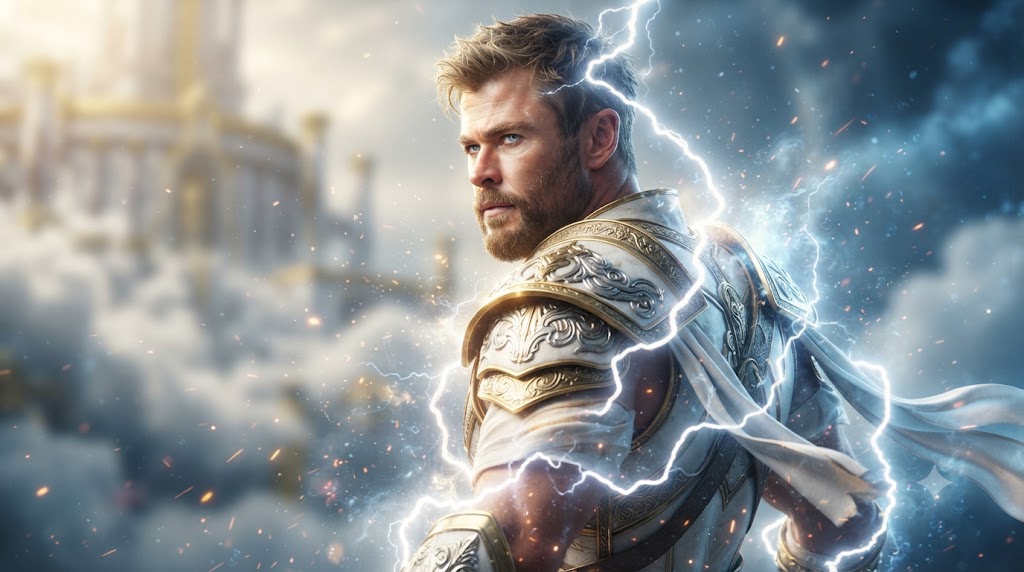
Image Generation
Celestial Thunder God Portrait Epic Norse Warrior Prompt
Gemini
3

Image Generation
Young Woman In Football Jersey At Stadium
Midjourney
0
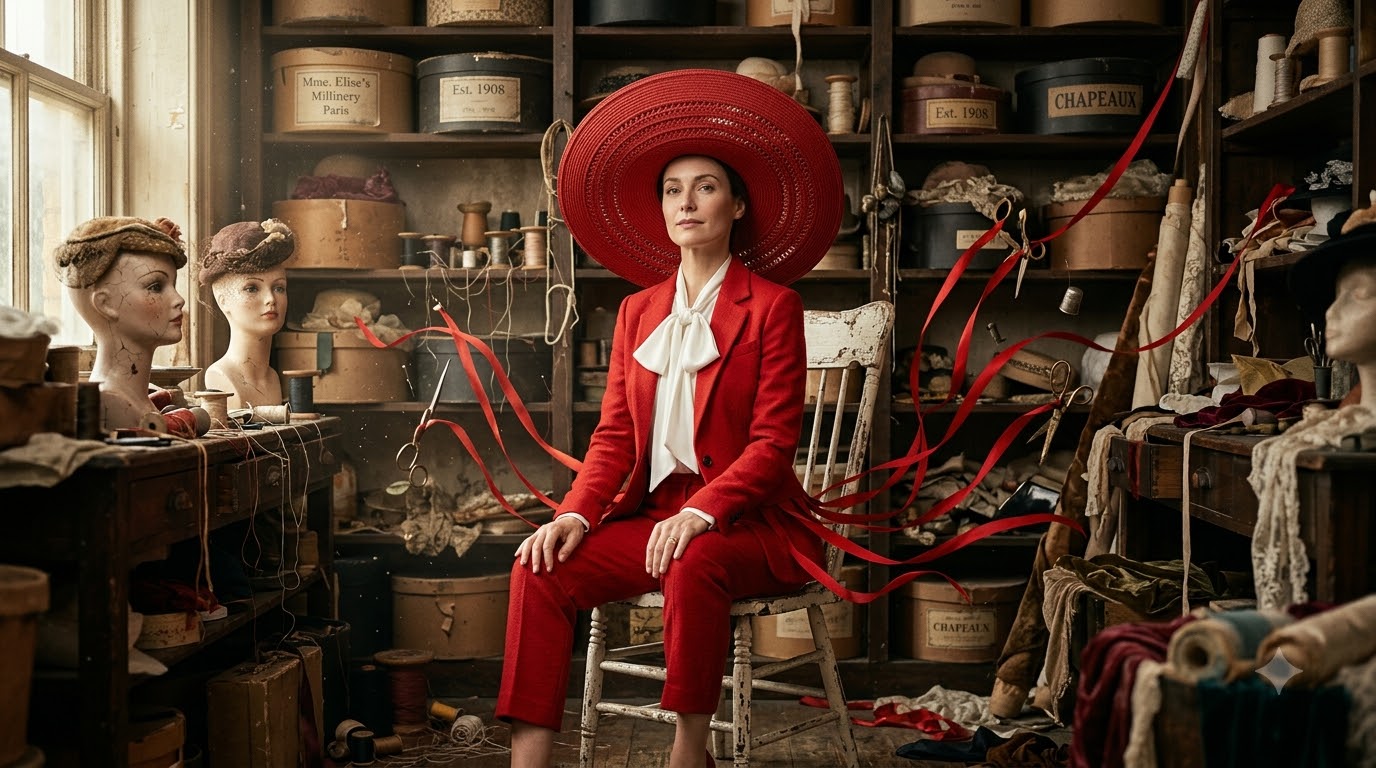
Image Generation
Zendaya Crimson Archive Surreal High-fashion Editorial Prompt
Gemini
0